Open for business.
A media kit built from your numbers, enquiries that reach you without your email, and one place for everything you recommend.
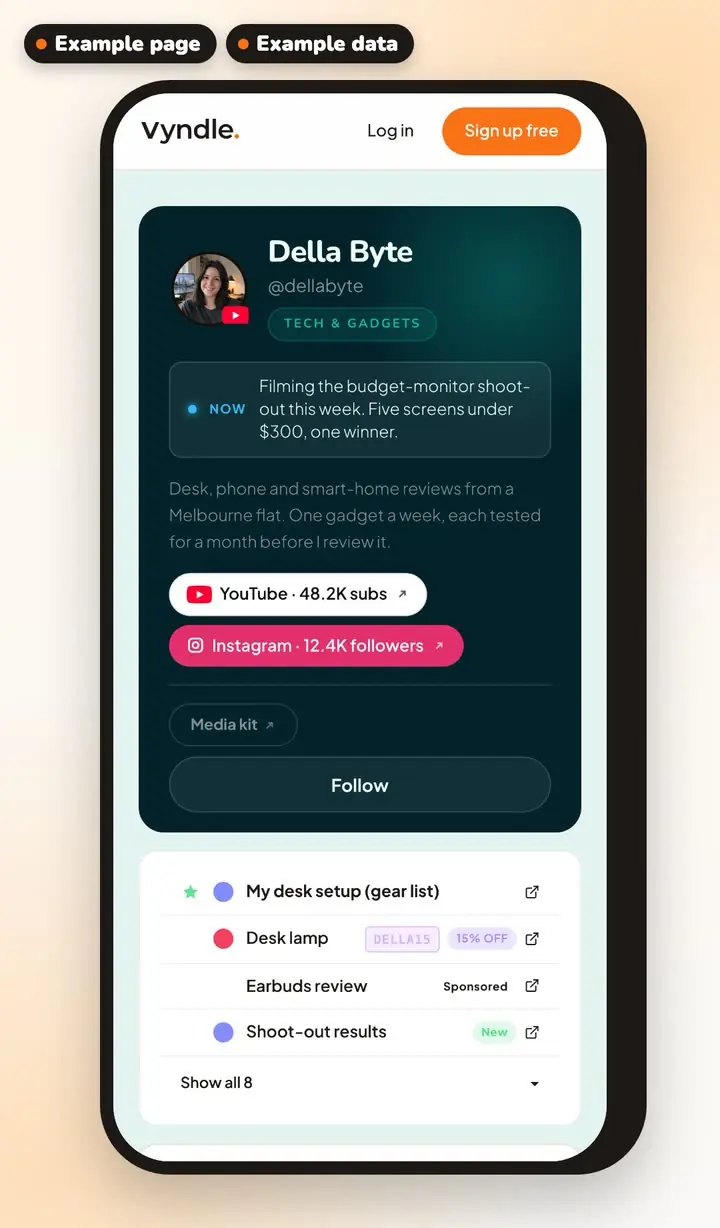
- Brands want proof, and you have no easy way to pitch.
- Strangers in your DMs, and your email handed out to anyone who asks.
- “What camera? What pan? What app?” asked fifty times, with the affiliate links buried in old descriptions.
Your numbers pulled straight from the platforms, with your rates and best work, on a link you can send.
Your media kit is built from the accounts you connect (YouTube, Instagram or TikTok), plus your Vyndle followers, your page views over the last 28 days, your link clicks and how people engage with your posts.
It shows your audience breakdown where the platform gives one. You add your rates and the posts you want to feature.
It has its own link, and it stays off until you turn it on.
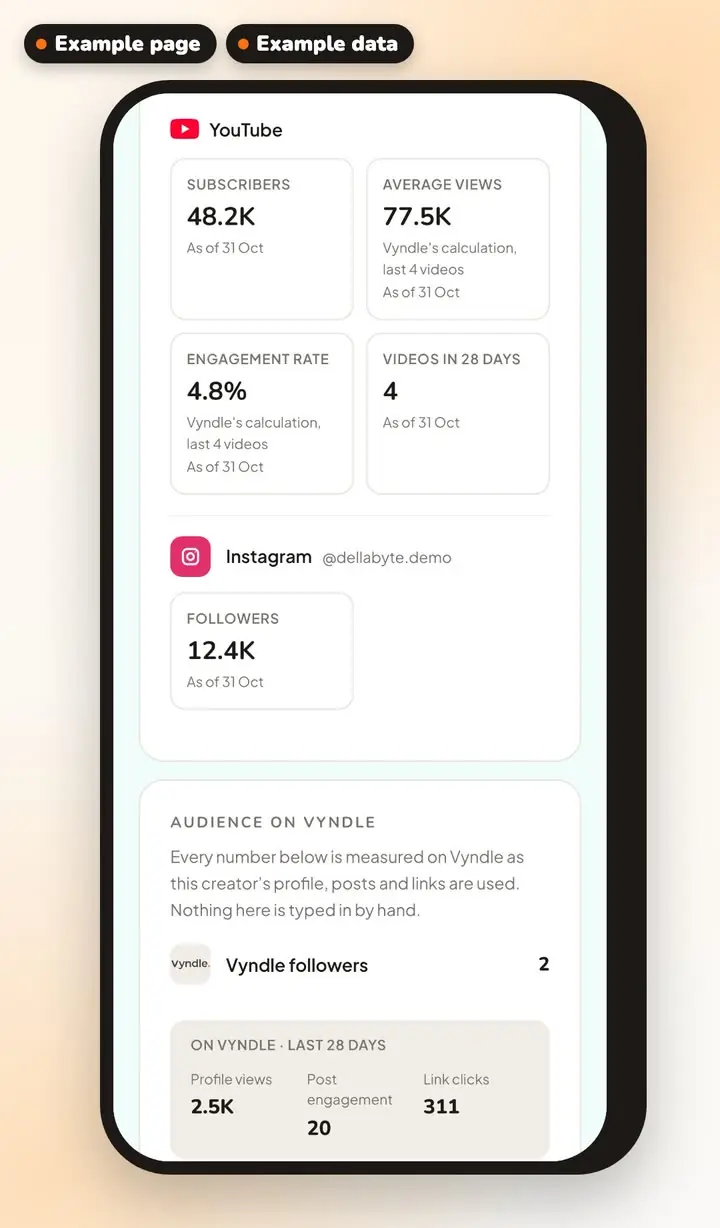
Brands reach you without ever getting your email.
A brand sends an enquiry from your media kit, and confirms their email address first.
You see whether it's a company address, and whether it matches the company they named. Then you let them in or not, before anything is exchanged.
Once you let them in, every message is screened before it's stored. The brand replies through a link, with no account to make, and your dashboard inbox keeps the conversation.
You can report any thread.
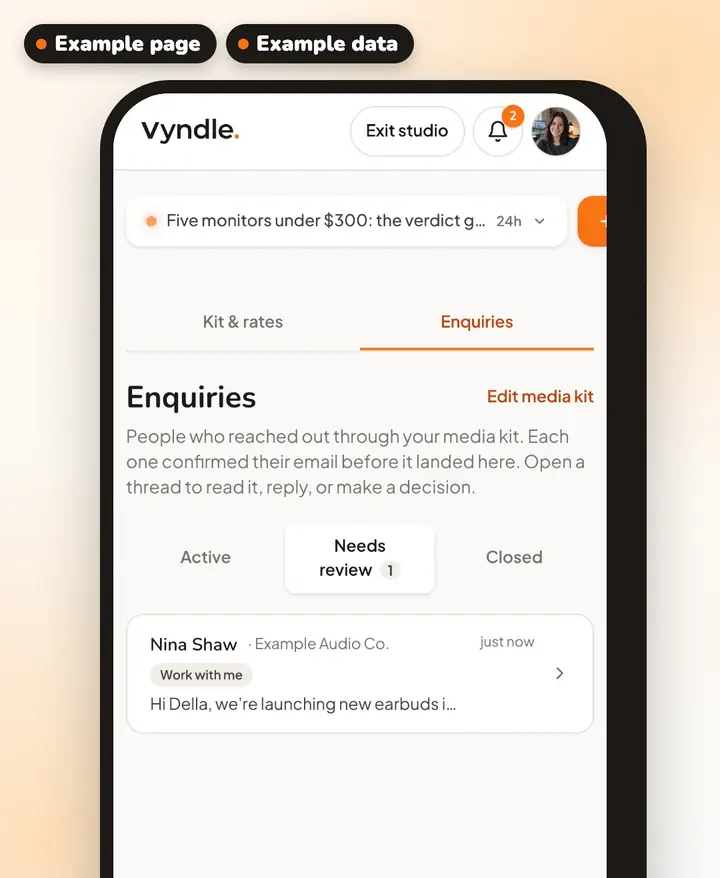
What you already recommend, in one permanent list with write-ups. Your affiliate links, disclosure handled for you.
List up to five things for free, and more on Pro. Give each one a write-up, a “By” line for who makes it, and a “Uses it” badge if you use it yourself.
Each “Get it” button goes out through a tracked link, and every click is counted.
When a link is an affiliate link (Amazon, LTK, ShareASale, Impact, Awin, Rakuten, eBay, CJ, ShopMy, Apple, Bookshop or Gumroad), Vyndle adds the Affiliate tag for you.
You choose the heading, and the list has its own page at vyndle.co/@you/recommendations.
Every paid link carries its tag.
Mark a link as Sponsored or Discount, and the tag shows on the link on your page. A Shop link gets a shopping-cart mark.
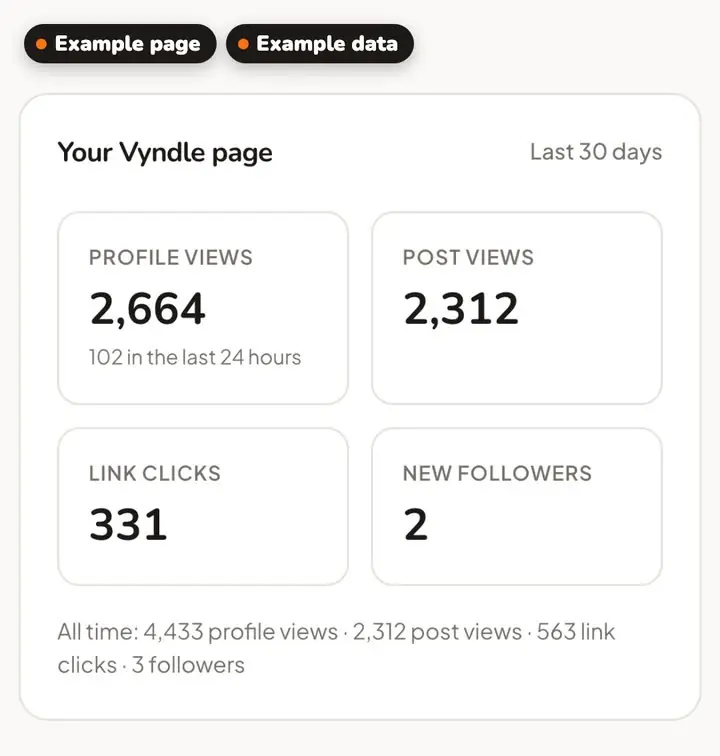
Page views, link clicks, post views and new followers, next to the platforms' numbers.
Your dashboard puts your Vyndle page's numbers and the ones from the platforms you connect in one place.
Three steps to start.
- 1Sign in with YouTube, Instagram or TikTok
- 2Pick your handle
- 3Turn on your media kit
Good to know.
- Can brands contact me?
- Yes, once you turn on your media kit (it starts off). The kit has an enquiry form that brands use to send you a message, and you reply from your dashboard.
- How do I make a media kit?
- Connect your accounts, then turn on your media kit in your dashboard. Vyndle fills it with numbers from the platforms you connect, and you can add your rates, where you're based and the posts you want to feature. It stays off until you turn it on, and brands can send you an enquiry from it.
- Do you verify who I am?
- No. We confirm your email address, and we pull your stats straight from YouTube, Instagram and TikTok. Neither step checks who you are.
Your page is waiting.
It's free, and it takes a few minutes.